
Neighbourhood Amenity Maps
Amenity Maps turn nearby parks, schools, groceries, cafés, transit, and other local highlights into clear, buyer-friendly visuals that help the area around a listing make sense quickly.
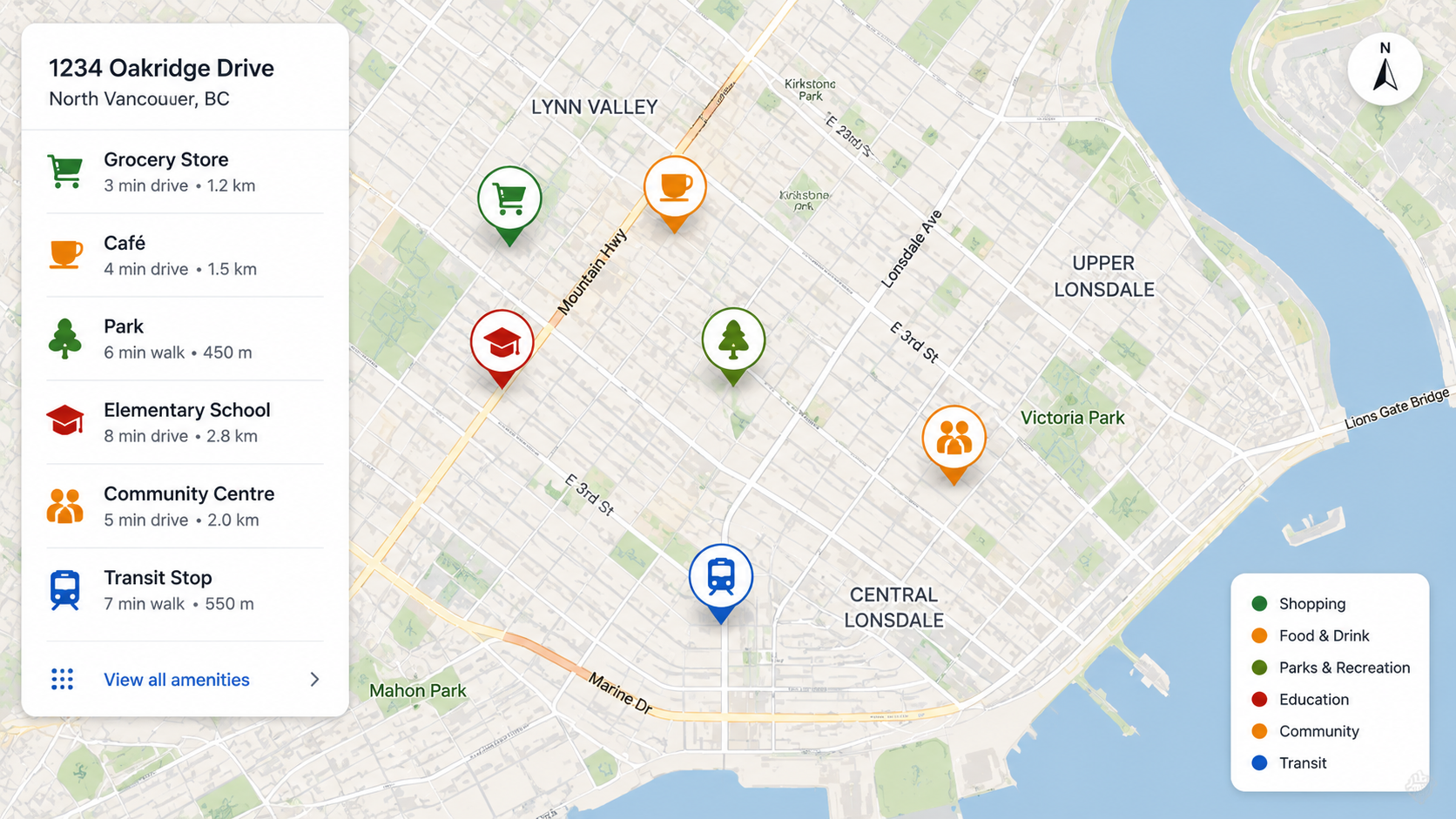
Show nearby parks, schools, groceries, transit, and other local highlights in polished buyer-facing visuals.
Why agents use it
A property rarely stands on its own. Buyers also care about convenience, access, and the surrounding area. Amenity Maps help agents communicate that part of the story more clearly.
What this solution helps with
- Support buyers who are unfamiliar with the area
- Add neighbourhood context to open house and showing materials
- Present local highlights more clearly than a generic map screenshot
- Help market the lifestyle around the home, not just the property itself
What it is
Amenity Maps are buyer-facing visuals that highlight selected points of interest around a property in a cleaner, more branded format than a raw map view.
How agents use it
Agents use them in handouts, reports, one-pagers, and digital materials when local context is an important part of the decision.
Who it is best for
They work especially well for relocation buyers, out-of-area buyers, neighbourhood-sensitive listings, and listings where convenience is a strong selling point.
Why it stands out
It helps buyers move from seeing a pin on a map to understanding what the area actually offers.
What can be tailored
- Amenity categories
- Neighbourhood radius
- Branding and layout
- Map emphasis
- Use case such as handout or PDF
Frequently asked questions
Who is this solution best for?
This solution is best for real estate professionals who want a more focused and repeatable way to handle this part of the workflow without relying on a generic tool for everything.
Can this be used alongside other Themapic tools?
Yes. Themapic solutions are designed to complement each other, especially when a listing needs both stronger marketing assets and better buyer-facing context.
What is the next step if I am interested?
Click Get started to continue to a short intake form. From there, you can connect the flow to your preferred onboarding or scheduling process.