
Real Estate CRM and All-purpose Tracker
Business Management for Agents gives agents a cleaner way to organize deals, contacts, notes, tasks, income, expenses, and workflow visibility in one place.
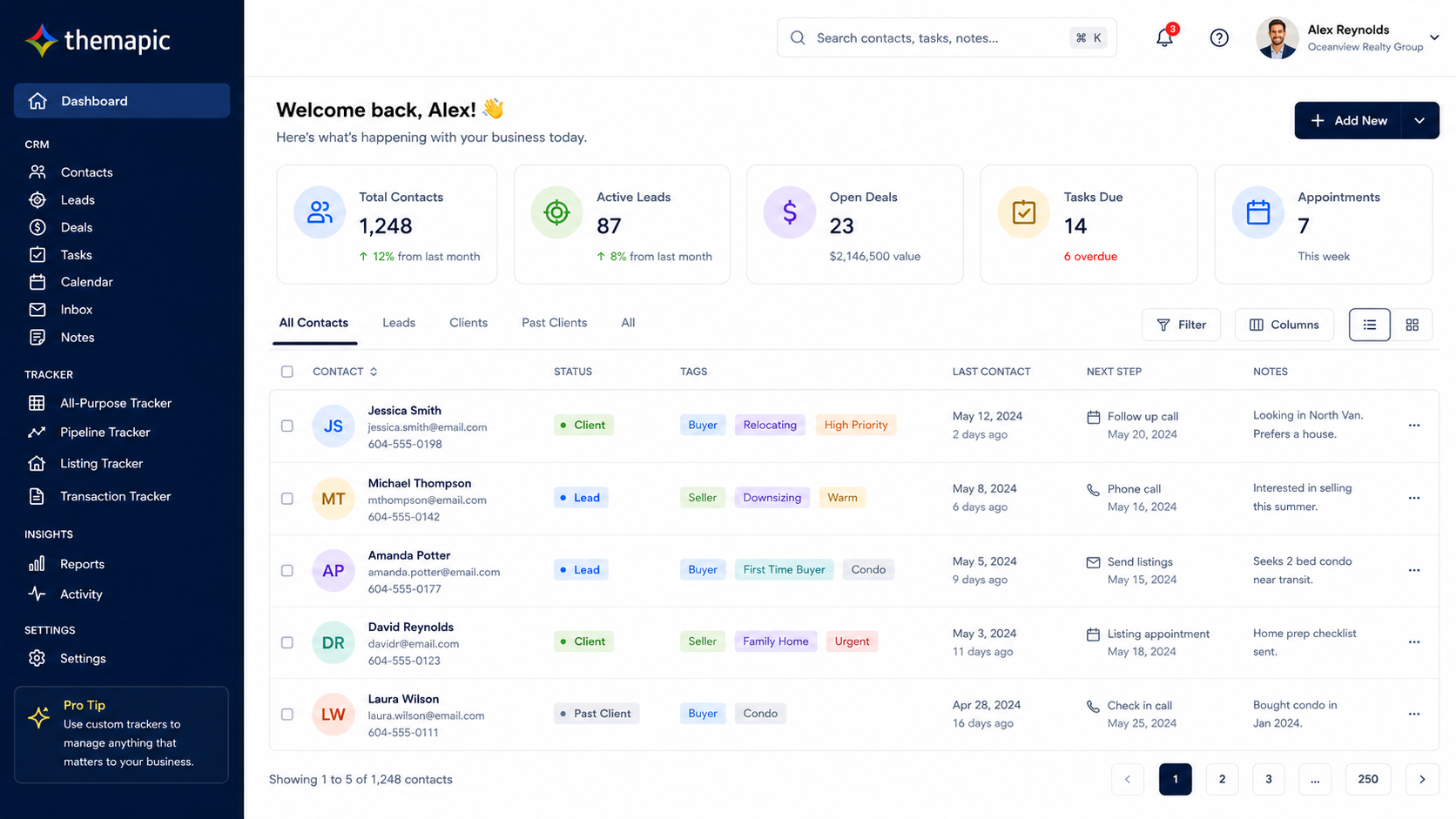
Organize deals, contacts, notes, tasks, income, and expenses in one place.
Why agents use it
Agents often manage their day-to-day business across spreadsheets, notes apps, inboxes, and disconnected tools. This solution helps create a more organized operating layer.
What this solution helps with
- Reduce spreadsheet sprawl and scattered notes
- Track deals, tasks, and follow-up in context
- Connect income and expenses to the work behind them
- Improve day-to-day visibility into business activity
What it is
This solution helps agents organize operational work across deals, contacts, tasks, notes, income, expenses, and workflow visibility.
How agents use it
Agents use it to keep deal-related activity together, track what needs attention, and understand more clearly what is happening across the business.
Who it is best for
It is best suited to solo agents and small teams that want something more focused and approachable than a heavy enterprise CRM.
Why it stands out
It is designed to help agents stay organized around the fundamentals, rather than trying to be everything at once.
What can be tailored
- Contacts and households
- Deals and transactions
- Tasks and reminders
- Notes and activity history
- Income, expenses, and budgets
Why use this instead of spreadsheets alone?
| Business Management for Agents | Spreadsheet-first setup |
|---|---|
| Deals, tasks, notes, contacts, and finances stay connected | Information gets fragmented across multiple files and tabs |
| Better operational visibility | Harder to see what needs attention quickly |
| Designed around real estate workflows | Requires more manual upkeep and customization |
Frequently asked questions
Who is this solution best for?
This solution is best for real estate professionals who want a more focused and repeatable way to handle this part of the workflow without relying on a generic tool for everything.
Can this be used alongside other Themapic tools?
Yes. Themapic solutions are designed to complement each other, especially when a listing needs both stronger marketing assets and better buyer-facing context.
What is the next step if I am interested?
Click Get started to continue to a short intake form. From there, you can connect the flow to your preferred onboarding or scheduling process.